Installing VRCFaceTracking on Linux or MacOS
- Install VRCFaceTracking from Steam Store
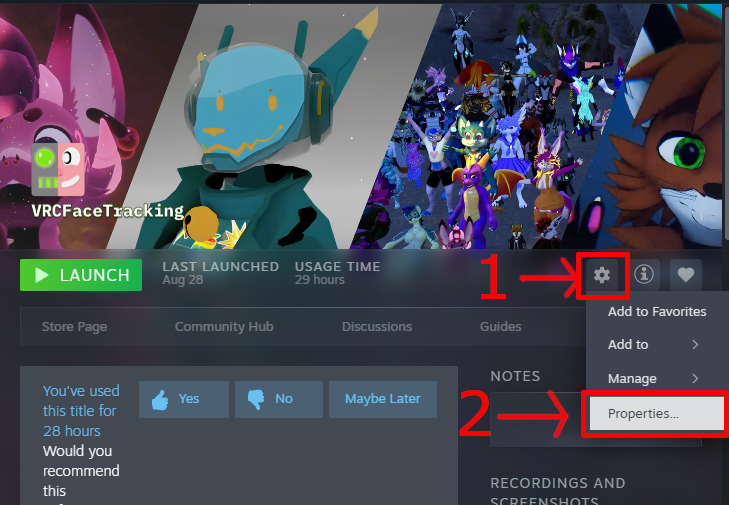
- Open the VRCFaceTracking installation settings (Click the gear icon, then select “Properties...”)
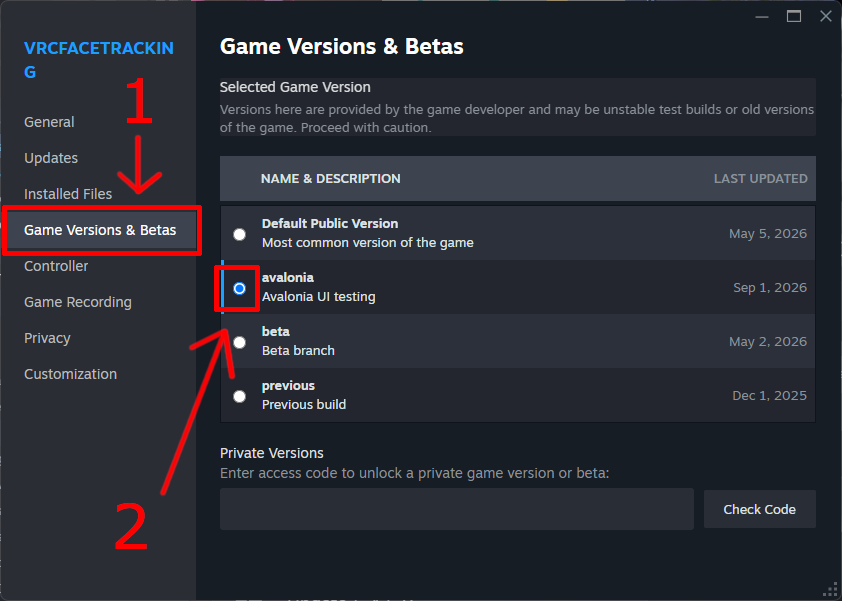
- Select the version titled “Avalonia” (Go to the “Game Versions & Betas” tab, then select “Avalonia”)
- Close the settings window and wait for VRCFaceTracking to update.
- Launch VRCFaceTracking